

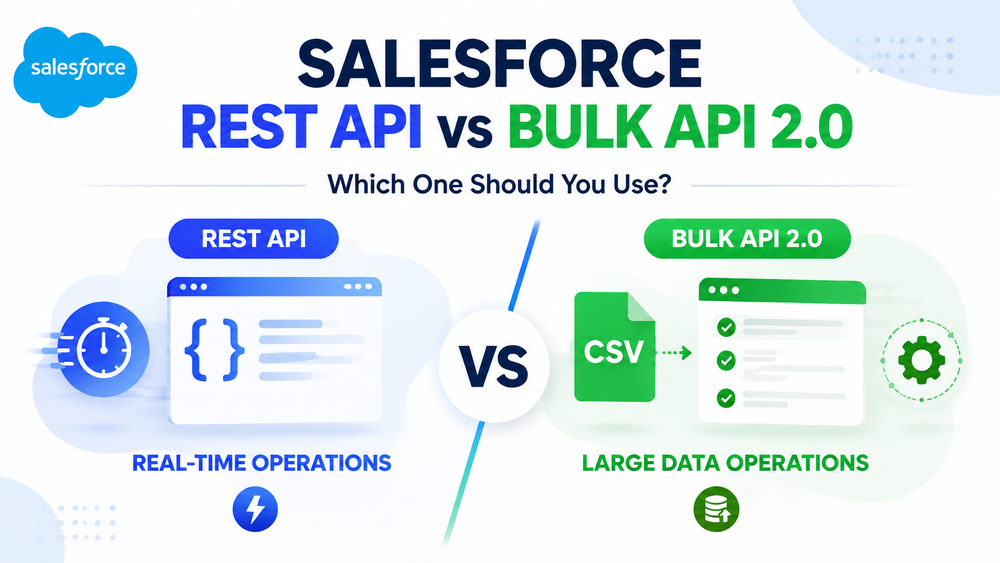
Salesforce REST API vs Bulk API: Which One Should You Use?
Salesforce provides multiple APIs that allow organizations to connect external applications, synchronize data, automate business processes, and build scalable integration architectures.
However, choosing the correct API approach is critical. Different APIs are designed for different business scenarios.
Using a synchronous API for large-scale data processing can lead to performance issues and unnecessary API consumption. At the same time, using an asynchronous API for real-time customer interactions can introduce unnecessary complexity.
The two most commonly used approaches are:
- Salesforce REST API — designed for real-time operations and transactional integrations.
- Salesforce Bulk API 2.0 — designed for processing large volumes of data asynchronously.
They are not competing technologies. Each one solves a different integration challenge.
Before selecting an API, it is important to understand the overall Salesforce integration architecture. Our guide on Salesforce Data Integration: 7 Methods & Best Practices explains how APIs, ETL platforms, Salesforce Flow, MuleSoft, and other integration approaches can be combined to build scalable Salesforce ecosystems.
In this guide, we will compare Salesforce REST API and Bulk API 2.0, explain their differences, review common use cases, and help you choose the right solution for your integration requirements.
What Is Salesforce REST API?
Salesforce REST API is a web service interface that allows external applications to communicate with Salesforce using standard REST principles.
It is primarily designed for synchronous operations, where an application sends a request and receives a response immediately.
REST API is commonly used for:
- retrieving Salesforce records;
- creating new records;
- updating existing records;
- deleting records;
- executing queries;
- integrating external applications with Salesforce.
Official Salesforce REST API documentation
How Salesforce REST API Works
A typical REST API interaction looks like this:
External Application

↓

API Request

↓

Salesforce REST API

↓

Salesforce Database

↓

API Response
For example, a website registration form may create a new Salesforce Lead.
The process:
Customer submits form

↓

External application sends REST API request

↓

Salesforce creates Lead

↓

Application receives response
The immediate response makes REST API suitable for scenarios where users or external systems need instant feedback.
Salesforce REST API Common Use Cases
Real-Time Integrations
REST API is the preferred choice when an application needs immediate communication with Salesforce.
Examples:
- website forms creating Leads;
- mobile applications retrieving customer information;
- partner portals accessing Account data;
- external services updating records.
For example, CRM platforms and marketing automation tools often use REST API to exchange customer information with Salesforce.
Our HubSpot Salesforce Integration: Complete Setup Guide provides an example of how Salesforce can be connected with external business platforms to automate lead management and synchronize customer data.
Single Record Operations
REST API works best when operations involve individual records or smaller transactional requests.
Common examples:
Create a Lead
Website Form

↓

REST API

↓

Salesforce Lead
Update Contact Information
External System

↓

REST API

↓

Salesforce Contact Update
Retrieve Account Data
Application Request

↓

Salesforce REST API

↓

Account Information
These scenarios require immediate responses, making REST API a natural choice.
What Is Salesforce Bulk API 2.0?
Salesforce Bulk API 2.0 is designed for processing large amounts of data asynchronously.
Unlike REST API, which processes requests immediately, Bulk API 2.0 creates processing jobs that Salesforce executes in the background.
It is commonly used for:
- data migrations;
- large imports;
- mass updates;
- ETL processes;
- data warehouse synchronization.
Official Salesforce Bulk API documentation
How Salesforce Bulk API 2.0 Works
A typical Bulk API workflow looks like this:
Create Job

↓

Upload Data

↓

Salesforce Processes Records

↓

Monitor Job Status

↓

Retrieve Results
Instead of sending thousands or millions of individual requests, an external system submits a data processing job.
Salesforce then handles the processing asynchronously.
This approach makes Bulk API 2.0 more suitable for high-volume operations.
Salesforce Bulk API 2.0 Common Use Cases
Data Migration
One of the most common Bulk API scenarios is moving large datasets into Salesforce.
Examples:
- migrating from another CRM;
- importing historical customer records;
- transferring legacy system data.
Example:
Legacy CRM

↓

Bulk API 2.0

↓

Salesforce Objects
Instead of processing every record individually through REST API, organizations can load large datasets through optimized bulk operations.
Large Data Updates
Bulk API 2.0 is designed for operations involving thousands or millions of records.
Examples:
- updating millions of Contacts;
- changing Account information;
- performing large upsert operations;
- correcting historical data.
For enterprise Salesforce environments, these operations are often part of a broader integration strategy. Our article Salesforce Data Integration: 7 Methods & Best Practices explains different approaches for connecting Salesforce with external systems.
ETL and Data Warehouse Processes
Bulk API 2.0 is frequently used in data pipelines where information moves between Salesforce and external analytical platforms.
Example:
Salesforce

↓

Bulk API 2.0

↓

ETL Platform

↓

Data Warehouse
Common scenarios:
- nightly synchronization;
- reporting pipelines;
- analytics platforms;
- enterprise data platforms.
Salesforce REST API vs Bulk API 2.0: Key Differences
The main difference between REST API and Bulk API 2.0 is how they process requests.
| Feature | REST API | Bulk API 2.0 |
|---|---|---|
| Processing | Synchronous | Asynchronous |
| Response | Immediate | Job results |
| Best for | Real-time operations | Large data volumes |
| Data volume | Transactional requests | Thousands to millions of records |
| Complexity | Lower | Higher |
| Monitoring | Request response | Job tracking |
REST API focuses on immediate communication.
Bulk API 2.0 focuses on scalable background processing.
REST API vs Bulk API 2.0: Which One Should You Choose?
The choice depends on the business scenario.
Choose REST API When:
- the system needs an immediate response;
- users interact with the application in real time;
- operations involve individual records;
- customer-facing applications require instant communication.
Examples:
- creating a Lead after website registration;
- updating customer information;
- displaying Salesforce data inside an external application.
Choose Bulk API 2.0 When:
- processing large datasets;
- migrating data;
- running scheduled synchronization;
- loading information into analytics platforms.
Examples:
- importing historical CRM data;
- updating millions of records;
- synchronizing Salesforce with ERP systems.
Bulk API vs Bulk API 2.0
Salesforce provides multiple versions of Bulk API.
Bulk API
The original Bulk API requires more manual management:
- creating batches;
- controlling batch sizes;
- handling more client-side logic.
Bulk API 2.0
Bulk API 2.0 simplifies large-scale data operations.
Advantages:
- automatic batch management;
- simpler job workflow;
- less development effort;
- improved developer experience.
Salesforce documentation explains the differences between Bulk API versions
For new integration projects, Bulk API 2.0 is usually the preferred option for high-volume data processing.
Salesforce REST API vs Bulk API: Which One Should You Use?
Salesforce REST API, Bulk API 2.0, and Change Data Capture: When to Use Each
REST API and Bulk API 2.0 cover many Salesforce integration scenarios, but they are not the only approaches available.
For event-driven architectures, Change Data Capture (CDC) can be a better option when external systems need to receive Salesforce updates immediately after data changes.
The three approaches solve different problems:
| Technology | Best For |
|---|---|
| REST API | Real-time request-response integrations |
| Bulk API 2.0 | Large-scale data processing |
| Change Data Capture | Real-time event notifications |
Salesforce REST API
REST API follows a request-response model.
An external application sends a request to Salesforce and receives a response immediately.
Example:
External Application

↓

REST API Request

↓

Salesforce

↓

Response
Common scenarios:
- creating a Lead after a website form submission;
- retrieving customer information;
- updating Account or Contact records;
- connecting external applications with Salesforce.
REST API is usually the right choice when users or systems require an immediate result.
Salesforce Bulk API 2.0
Bulk API 2.0 works differently.
Instead of processing every record instantly, an external application creates a job and Salesforce processes the data asynchronously.
Example:
Create Bulk Job

↓

Upload Data

↓

Salesforce Processing

↓

Check Job Status

↓

Retrieve Results
Bulk API 2.0 is commonly used for:
- CRM migrations;
- large data imports;
- scheduled synchronization;
- data warehouse loading;
- mass updates.
Change Data Capture (CDC)
Change Data Capture is designed for event-driven integrations.
Instead of repeatedly asking Salesforce whether data has changed, external systems receive notifications when records are created, updated, deleted, or restored.
Example:
Salesforce Record Updated

↓

CDC Event Generated

↓

External System Receives Notification

↓

Process Change
CDC is useful for:
- synchronizing external databases;
- updating downstream applications;
- triggering automated processes;
- building event-driven architectures.
For complex Salesforce ecosystems, organizations often combine REST API, Bulk API 2.0, and CDC depending on business requirements.
What About Salesforce Composite API?
Although this article focuses on REST API and Bulk API 2.0, another important option is Salesforce Composite API.
Composite API allows multiple related REST operations to be executed within a single API request.
It is useful when an integration needs to:
- create multiple related records;
- reduce the number of API calls;
- perform connected operations in one transaction.
Example:
Creating a customer:
Create Account

↓

Create Contact

↓

Create Opportunity

↓

One Composite API Request
However, Composite API is not designed for millions of records.
For large-scale data processing, Bulk API 2.0 remains the better option.
API Limits and Performance Considerations
Choosing the correct API helps organizations maintain Salesforce performance and avoid unnecessary API consumption.
REST API Considerations
REST API works well for transactional operations, but poorly designed integrations can create unnecessary API usage.
Common problems:
- too many individual requests;
- repeated data retrieval;
- inefficient queries;
- lack of caching.
Best practices:
- request only required fields;
- optimize SOQL queries;
- avoid unnecessary API calls;
- implement proper error handling.
For additional recommendations, see our guide:
Salesforce API Integration Best Practices
Bulk API 2.0 Considerations
Bulk API 2.0 is optimized for high-volume operations, but integrations still require proper monitoring.
Important considerations:
- track job status;
- process failed records;
- implement retry logic;
- maintain detailed logs.
Large integrations should include monitoring because failed records can affect business processes if they are not handled properly.
Common Mistakes When Choosing Salesforce APIs
Using REST API for Massive Data Loads
One of the most common mistakes is using REST API for operations involving millions of records.
Why this causes problems:
- increased API consumption;
- slower processing;
- difficult error management;
- poor scalability.
Better approach:
Use Bulk API 2.0 for high-volume data operations.
Using Bulk API 2.0 for Real-Time Requests
Bulk API 2.0 is powerful, but it is not designed for immediate user interactions.
Problems:
- no instant response;
- asynchronous processing;
- additional job monitoring.
For customer-facing applications, REST API is usually more appropriate.
Ignoring Data Volume Planning
Choosing an API without understanding future data growth can create architectural problems later.
Before implementation, evaluate:
- current record volume;
- expected growth;
- synchronization frequency;
- number of integrated systems.
A solution that works for thousands of records may not work for millions.
Ignoring Error Handling
Production integrations should always include:
- failed record tracking;
- retry mechanisms;
- logging;
- monitoring.
An integration should not only process successful requests but also provide visibility into failures.
Salesforce API Integration Best Practices
Choose the API Based on Business Requirements
Do not select an API only because it is available.
Start with the business requirement:
Does the system need an immediate response or large-scale background processing?
Use REST API for Real-Time Operations
Recommended for:
- customer-facing applications;
- portals;
- mobile apps;
- individual record updates.
Use Bulk API 2.0 for High-Volume Operations
Recommended for:
- migrations;
- ETL pipelines;
- scheduled synchronization;
- mass updates.
Combine Multiple APIs When Needed
Enterprise Salesforce architectures often use multiple integration methods together:
- REST API for real-time requests;
- Bulk API 2.0 for large data processing;
- CDC for event notifications;
- middleware for orchestration.
This approach provides better scalability and flexibility.
For a broader overview of Salesforce integration approaches, see:
Salesforce Data Integration: 7 Methods & Best Practices
Secure API Authentication
API integrations should follow security best practices:
- use OAuth-based authentication;
- limit permissions;
- review connected applications;
- monitor integration users.
For authentication architecture, see:
Salesforce OAuth 2.0 Best Practices
Salesforce REST API vs Bulk API Decision Guide
| Requirement | Recommended Solution |
|---|---|
| Create one Salesforce record | REST API |
| Update customer data instantly | REST API |
| Mobile application integration | REST API |
| Customer portal integration | REST API |
| Migration project | Bulk API 2.0 |
| Millions of records update | Bulk API 2.0 |
| Data warehouse loading | Bulk API 2.0 |
| Real-time notifications | Change Data Capture |
Conclusion
Salesforce REST API and Bulk API 2.0 are designed for different integration scenarios.
REST API is the better choice when applications require immediate responses and real-time communication with Salesforce.
Bulk API 2.0 is designed for large-scale operations such as migrations, data synchronization, and processing millions of records asynchronously.
Modern Salesforce architectures usually combine multiple approaches:
- REST API for real-time interactions;
- Bulk API 2.0 for high-volume data operations;
- Change Data Capture for event-driven workflows;
- middleware and ETL platforms for complex integrations.
Choosing the correct API during the architecture stage helps organizations build integrations that are more scalable, reliable, and easier to maintain.
What is the difference between Salesforce REST API and Bulk API?
Salesforce REST API is designed for synchronous real-time operations, while Bulk API 2.0 is designed for asynchronous processing of large data volumes.
Is Bulk API 2.0 faster than REST API?
For large datasets, Bulk API 2.0 is more efficient because it processes records asynchronously. For individual real-time operations, REST API provides faster responses.
When should I use Salesforce Bulk API 2.0?
Use Bulk API 2.0 for data migrations, mass updates, ETL processes, scheduled synchronization, and integrations involving thousands or millions of records.
Can REST API handle large amounts of data?
REST API can work with large datasets through pagination and optimized queries, but it is not designed for high-volume data loading. Bulk API 2.0 is usually the better choice for large-scale processing.
What is the difference between Bulk API and Bulk API 2.0?
Bulk API 2.0 simplifies large data operations by automatically managing batches and reducing the amount of client-side processing required compared with the original Bulk API.
Should I use REST API or Bulk API for Salesforce integration?
The choice depends on the scenario. Use REST API for real-time transactional operations and Bulk API 2.0 for large-scale asynchronous data processing.